SOP software for Mac: do the task once, get the SOP
Press record and do the procedure the way you always do. Every click becomes a step with a screenshot, and the steps are written for you.
Updated November 22, 2026
Writing an SOP by hand is slow. You do the task, stop, take a screenshot, crop it, paste it, describe the click, and do it again for the next step. A ten-step procedure can take an hour, and nobody wants to update it when the software changes.
Stepfinch turns that hour into the time it takes to do the task once.
How Stepfinch makes an SOP
- Press ⌃⇧R. Or start from the menu bar. A small bar shows each step as it will read.
- Do the task. Work as usual, in any app. Click, type, use shortcuts.
- Press Stop. Your SOP opens with every step in order, each with a screenshot.
- Check it and share it. Fix a word, add a note, then export a PDF, a Word file or a web page.
What you get in every step
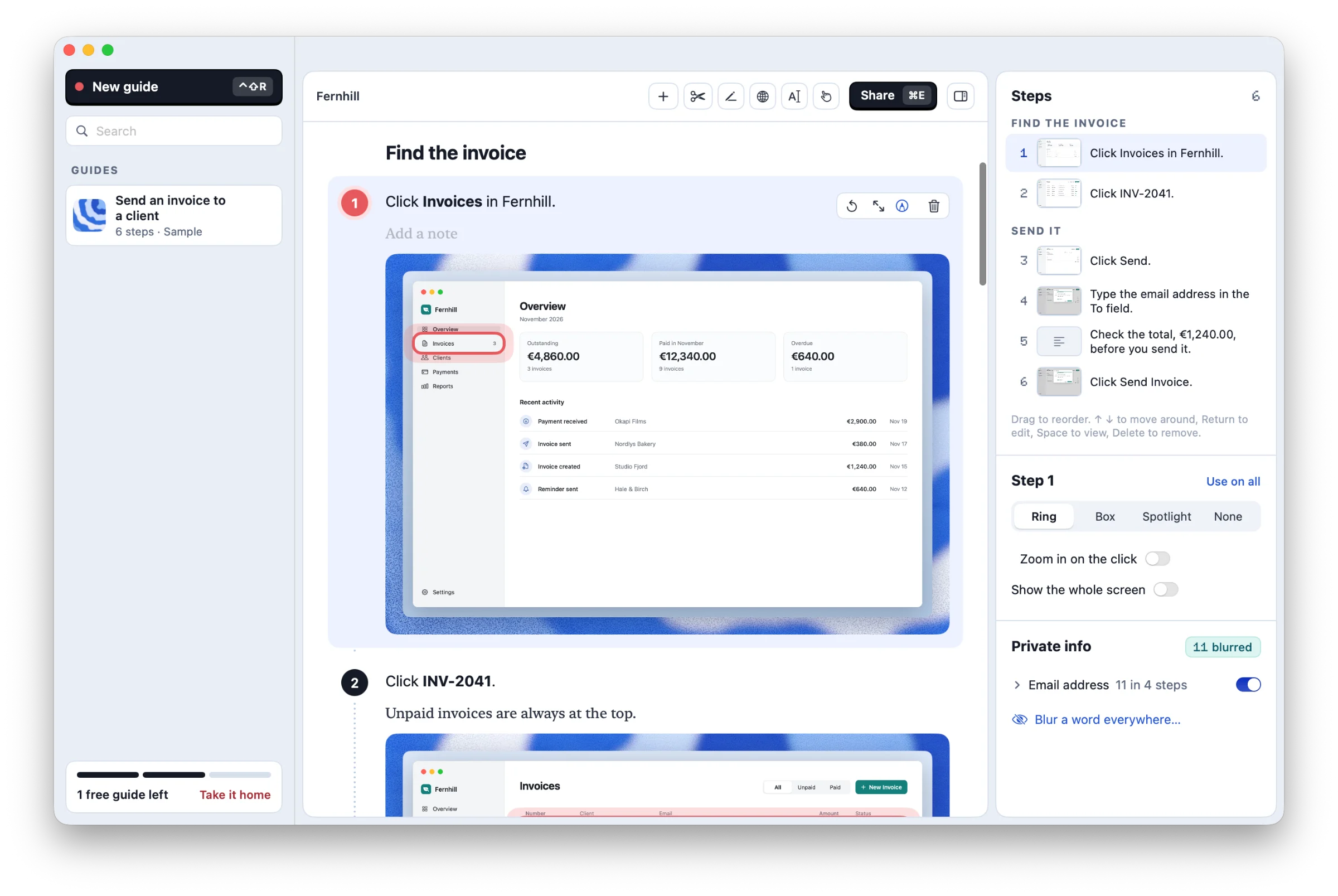
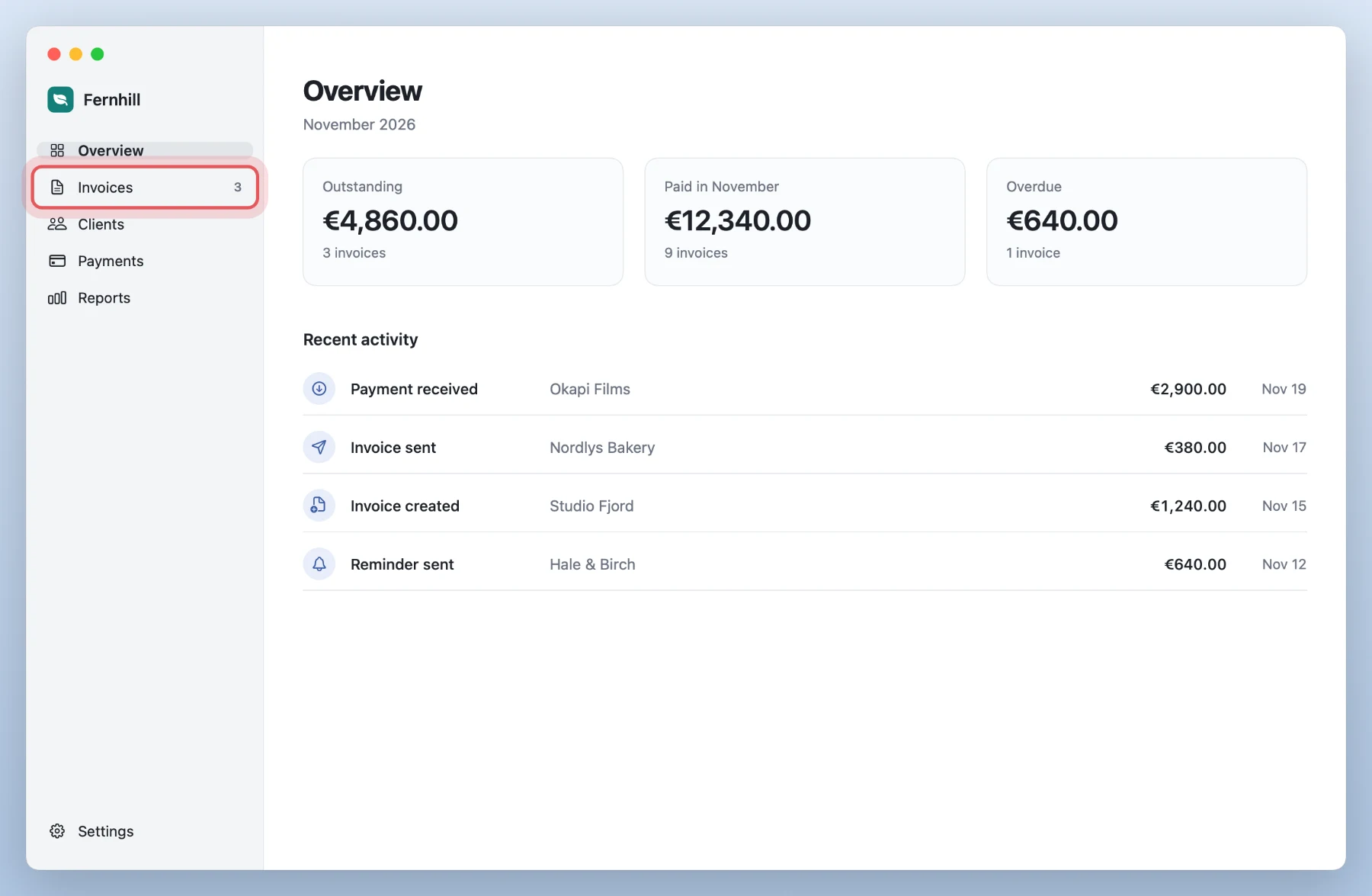
- A screenshot of the window, with a ring on what you clicked. You can switch the ring to a box or a spotlight, or add arrows and labels.
- The instruction, already written. “Click Send Invoice.” Stepfinch reads the button’s own name from the screen, so the step uses the exact words your reader will see.
- Typing and menus. “Type the email address in the To field.” Menu clicks become one step: “Choose File › Export To › PDF…”. Shortcuts become steps too.
- Sections. Long procedures split into parts, like “Find the invoice” and “Send it”.
Private info stays out of your SOPs
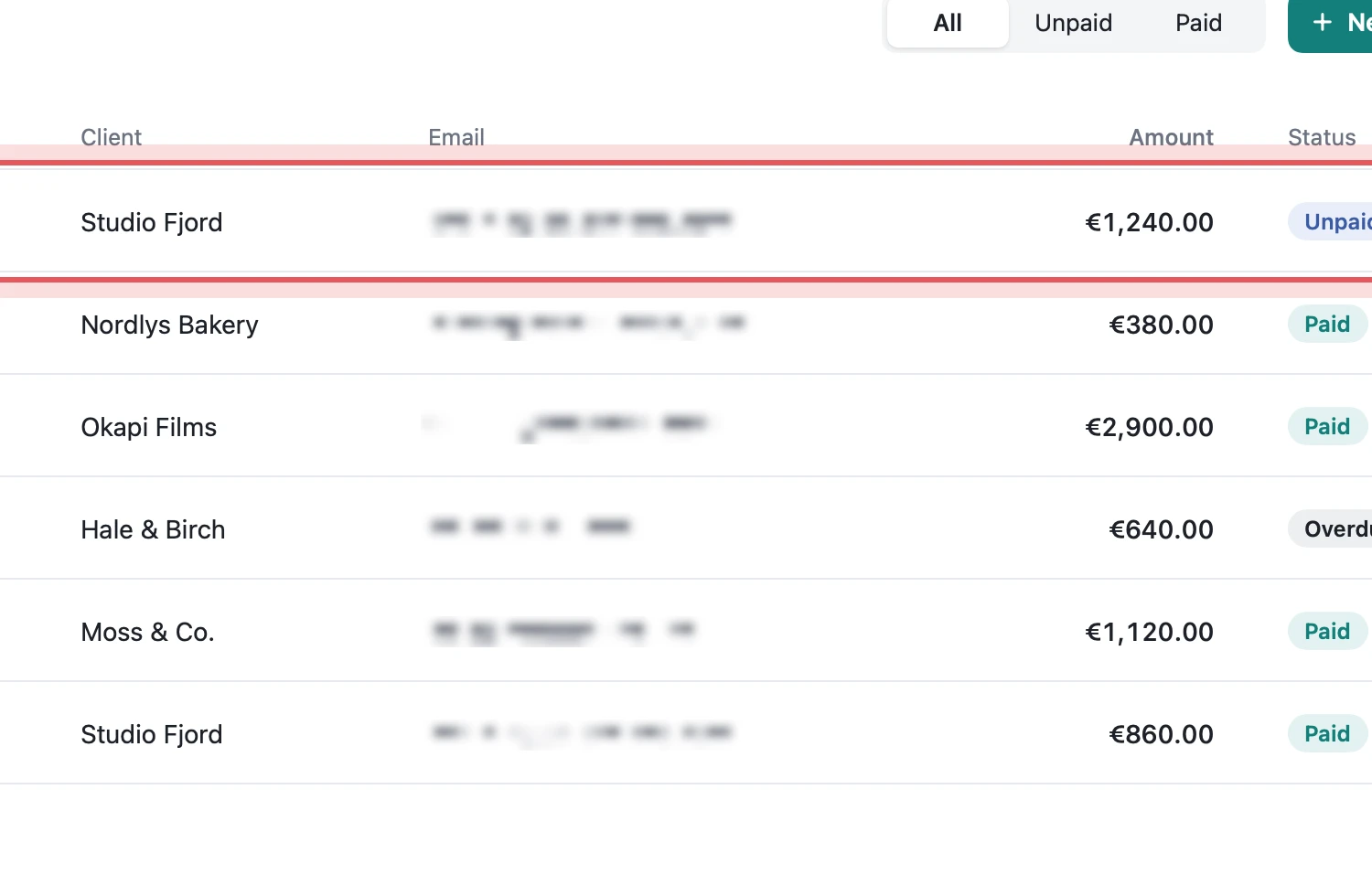
SOPs get shared with new hires, clients and contractors, so the screenshots can’t show customer data. Stepfinch finds and blurs email addresses, phone numbers, card numbers, bank account numbers and API keys in every screenshot, plus any words you add, like client names. Password fields are never read. When you export, the blur is part of the image, so it can’t be undone by whoever opens the file.
Share it the way your team reads
One recording exports to all of these:
- PDF, with a cover and a contents page
- Word (.docx)
- PowerPoint (.pptx)
- Markdown with images
- A web page
- A click-through walkthrough
- A GIF or an MP4 video
- Rich text for Notion or Google Docs
AI SOP generators vs recording the SOP
A free AI SOP generator writes a procedure from a prompt. That’s useful for policy-style SOPs, like “how we handle refunds”. For software tasks it guesses: it hasn’t seen your screens, so it can name buttons that don’t exist.
Recording works the other way round. The steps come from what you actually clicked, and the screenshots prove it. Stepfinch uses Apple’s on-device model only for the parts a model is good at: a title and intro, tidier wording, and splitting long guides into sections. Nothing is sent to a server.
Compared with other SOP tools
| Stepfinch | Scribe | Tango | Folge | |
|---|---|---|---|---|
| Price for one person | $39 once | $25–35 a month | $22–30 a month | $89 once |
| Records desktop apps | Yes | Paid plans | Paid plans | Yes |
| Where SOPs are kept | Your Mac | Their cloud | Their cloud | Your computer |
| Blurs private info by itself | Yes | Enterprise | Enterprise | No, by hand |
| AI that writes for you | On your Mac | In their cloud | Pro, in their cloud | Your own API key |
From each company’s pricing and feature pages in November 2026.
Who uses it
- Small business owners handing tasks to an assistant or a new hire.
- Agencies and freelancers writing handover guides for clients.
- IT teams writing setup guides for the Macs they look after.
- Support teams writing help articles and replies with screenshots.
What it costs
Your first 3 guides are free, with every feature. Personal is $39 once and covers 3 of your Macs. Team is $149 once for 5 people. Every update is free.
Questions
What is SOP software?
SOP software helps you write standard operating procedures: the steps for doing a task the same way every time. Some tools are templates you fill in. Stepfinch records the procedure while you do it, so each step comes with its own screenshot.
Can I make an SOP for free?
Yes. Your first 3 guides in Stepfinch are free, with every feature. Exports from the free version carry a small “Made with Stepfinch” badge. After that it’s $39 once.
Which apps can it record?
Any app on your Mac: browsers, Excel, QuickBooks, Figma, System Settings, your own internal tools. It reads the name of what you click through macOS Accessibility, so it doesn’t need a plugin for each app.
Can I edit the SOP after recording?
Yes. Click any words to change them, drag steps to reorder, add a step by hand, retake one screenshot, add sections, notes, arrows, boxes and labels.
Does it work offline?
Yes. Recording, writing, blur and every export happen on your Mac. Stepfinch only goes online to check your license and look for updates, at most once a day.
Is there a Windows version?
Not yet. Stepfinch is built for the Mac. You can join the Windows waitlist on the home page.