
Steps Recorder for Mac
Windows has Steps Recorder. The Mac never had one. Stepfinch does the same job on your Mac, and writes each step in plain words.
Updated November 22, 2026
Is there a Steps Recorder on Mac?
No. Windows ships with Steps Recorder (psr.exe, once called Problem Steps Recorder). It takes a screenshot each time you click and lists what you did, so you can send the steps to whoever is helping you. macOS has screenshots and screen recording (⌘⇧5), but nothing that turns clicks into steps.
Steps Recorder is on its way out on Windows too. Microsoft says it’s no longer being updated and will be removed in a future release, and suggests Snipping Tool, Xbox Game Bar or Clipchamp instead. Those record video, not steps.
Stepfinch: the steps recorder for Mac
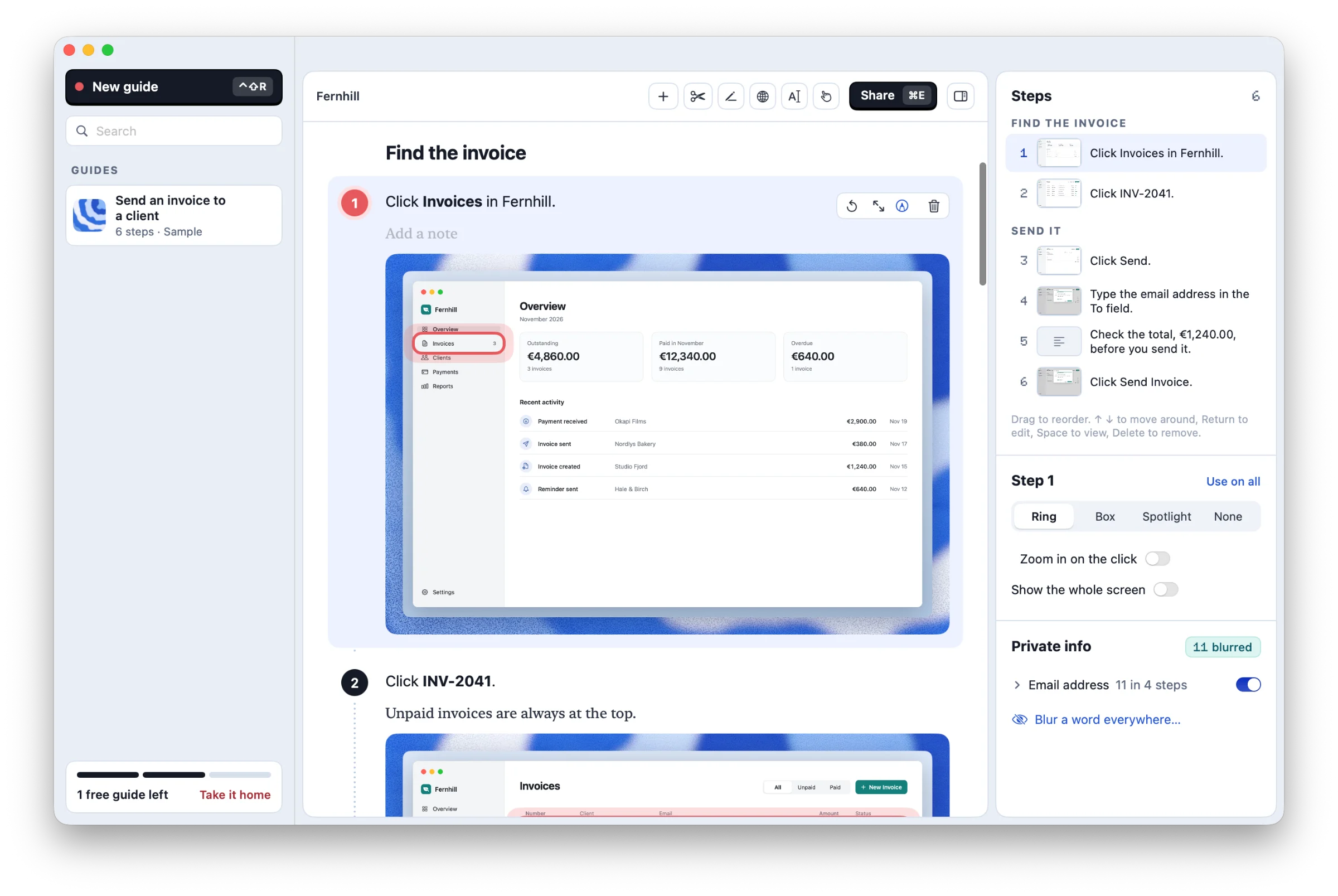
Stepfinch records the way Steps Recorder does, one screenshot per click, and then does the part Steps Recorder never did: it writes each step so a person can follow it.
| Windows Steps Recorder | Stepfinch for Mac | |
|---|---|---|
| A screenshot per click | Yes, the whole screen | Yes, the window you’re working in |
| Step text | Technical: “User left click on button…” | “Click Send Invoice.” |
| What you type | Not recorded | “Type … in the To field”, private values left out |
| Private info | Shown as is | Blurred by itself |
| Editing | Add a comment | Change any step, reorder, add arrows and notes |
| What you send | A ZIP with an MHT file | PDF, Word, PowerPoint, Markdown, a web page or video |
| Future | Deprecated | Updated often, updates free |
How to record steps on a Mac
- Install Stepfinch and give it Accessibility and Screen Recording permission when it asks. The welcome screen explains both.
- Press ⌃⇧R to start. You can change the shortcut in Settings.
- Do the task, or repeat the problem. A small bar shows each step as it’s recorded, and you can take back a mis-click.
- Press Stop. The steps open in order, each with its screenshot.
- Send it. Choose Email as PDF, or export Word, a web page or Markdown.
Made for help desks and bug reports
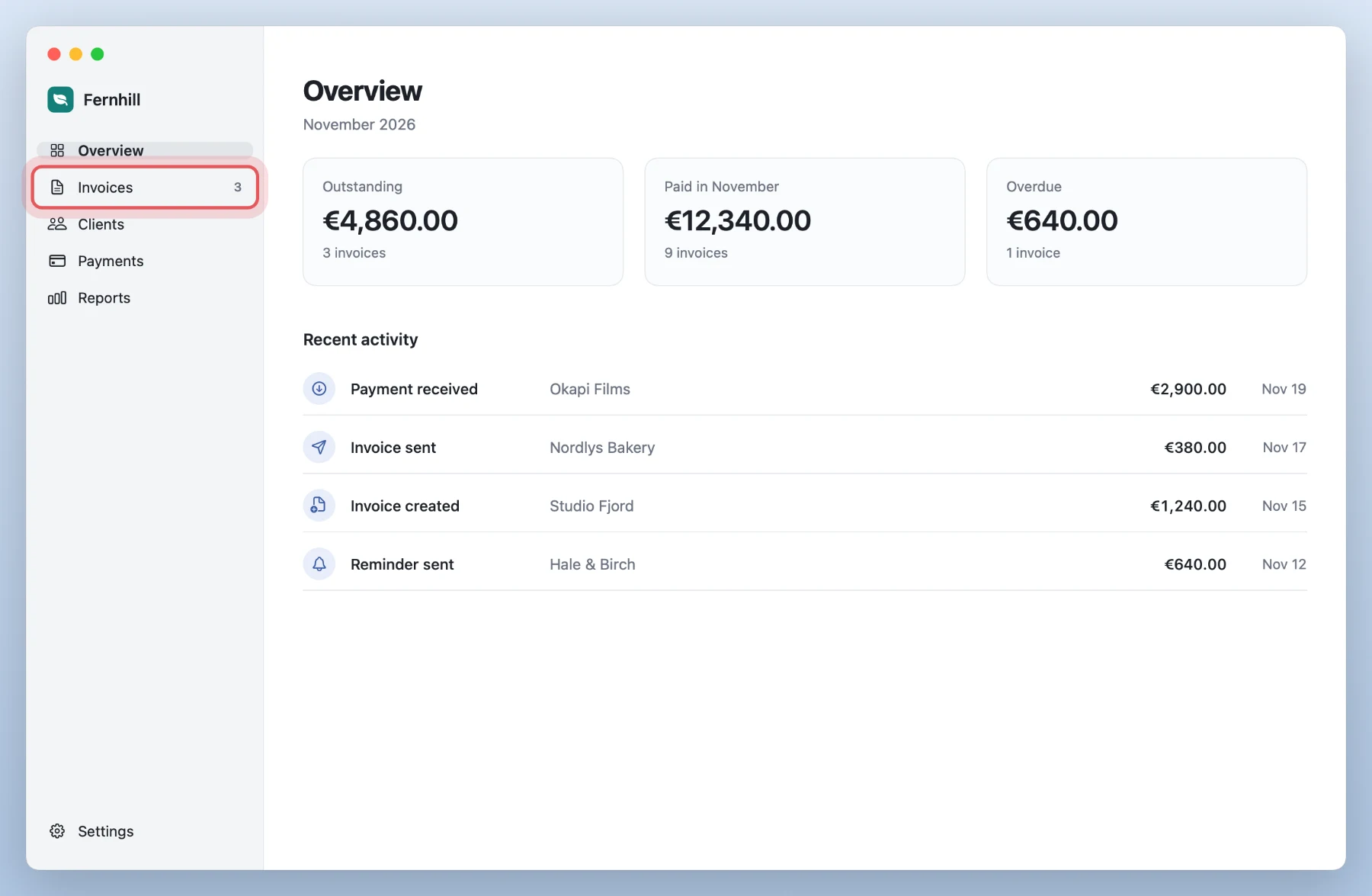
“Can you show me exactly what you clicked?” is the question Steps Recorder was built to answer. On a Mac, Stepfinch answers it with a PDF anyone can open: numbered steps, a screenshot each, customer data blurred.
- IT and help desks: ask a user to record the problem, or record the fix and send it back as a how-to.
- QA and developers: steps to reproduce a bug, with the screen at every step. See how to write a bug report.
- Support teams: turn a fix into a help article without writing it twice.
What about Snagit’s Step Capture?
Snagit is a screenshot tool with a Step Capture feature that builds a guide as you click. It comes with a Snagit subscription, $39 a year per person. Stepfinch is built only for step-by-step guides, writes the steps for you, blurs private info by itself, and is $39 once. More in Snagit alternatives for Mac.
Questions
Does macOS have a Steps Recorder?
No. macOS can take screenshots and record the screen as a video (press ⌘⇧5), but it has nothing that records each click as a numbered step with a screenshot. You need an app like Stepfinch for that.
What replaced Steps Recorder on Windows?
Microsoft says Steps Recorder is no longer being updated and will be removed in a future Windows release. It points people to Snipping Tool, Xbox Game Bar and Clipchamp, which record video rather than steps.
Can a Mac record every click?
Yes, with an app that has Accessibility and Screen Recording permission. Stepfinch uses those to see where you click, read the name of the button and take one screenshot per step. It never records a video of your screen.
Does it record my passwords?
No. Password fields are never read. Emails, card numbers and other private info are left out of the step text and blurred in the screenshots.
How do I send the recorded steps to IT?
Choose Email as PDF and your mail app opens with the PDF attached. You can also export Word, a web page or Markdown.