
Onboarding documentation: what new hires need, and how to write it
Onboarding documents come in two kinds: the paperwork HR needs, and the know-how a new person needs to do the job. Most teams have the first and skip the second. Here’s what goes in both.
By Telman Gadimov, who makes Stepfinch · Updated November 22, 2026 · 2 min read
Two kinds of onboarding documentation
- Paperwork. Forms and agreements the company needs: contracts, tax forms, policies to sign. HR or your payroll provider usually has these.
- Know-how. Everything the new person needs to actually do the work: who to ask, which tools, and how each task is done. This is the part that’s missing in most teams, so new hires learn it by interrupting people.
Typical onboarding paperwork
What’s required depends on your country and your company, so check with HR or your accountant. A typical set:
- Offer letter or employment contract
- Tax forms (in the US, Form W-4)
- Proof of the right to work (in the US, Form I-9)
- Direct deposit or bank details
- Confidentiality or IP agreement
- Handbook and policies to sign
- Emergency contacts
- Benefits enrollment
The know-how documents
- A welcome note. What the team does, what this role is for, and what a good first month looks like.
- Who’s who. Names, roles, and what to ask each person about.
- Tools and access. Every app they’ll use, how to get a login, and what each one is for.
- A first-week plan. Day by day, with the tasks to try.
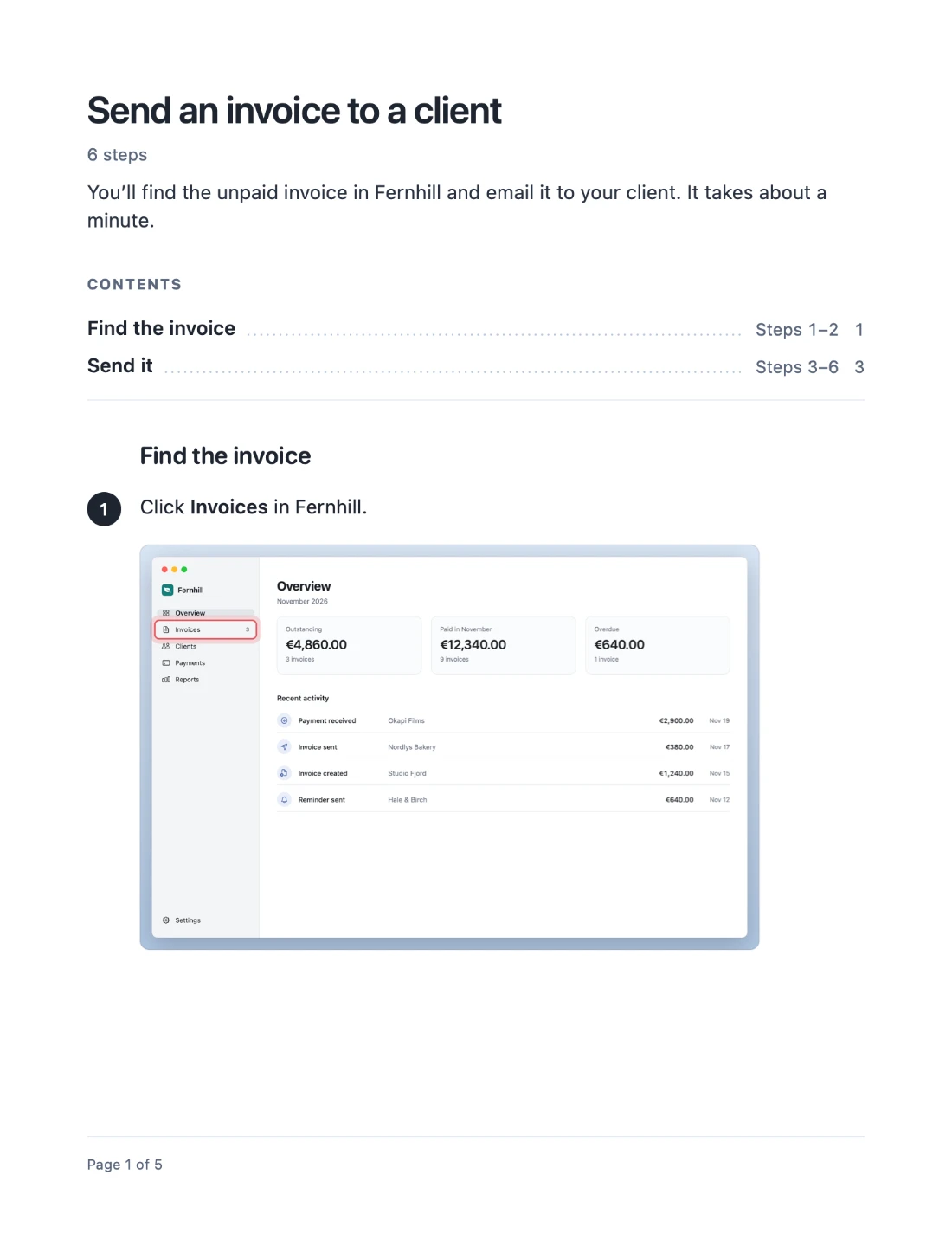
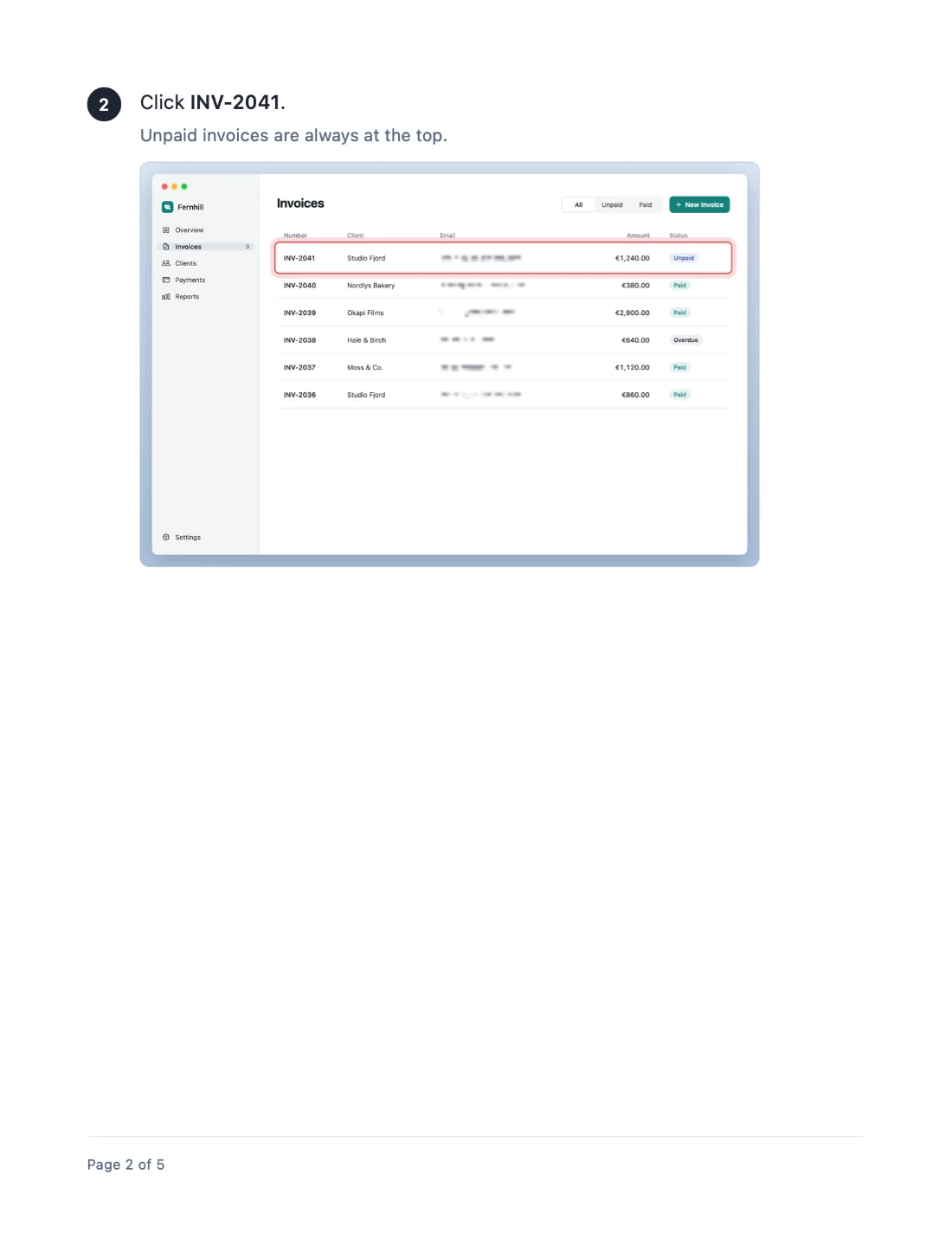
- A how-to guide for each recurring task. Numbered steps with a screenshot each: how to send an invoice, how to file a ticket, how to book leave.
- Where to get help. The channel, the person, and what to do when something breaks.
Number 5 is where new people lose the most time, and it’s the hardest to write, because every guide needs screenshots of the real tools.
An onboarding checklist
Before day one
  [ ] Contract and paperwork sent and signed
  [ ] Laptop and accounts set up
  [ ] Welcome note and first-week plan shared

Day one
  [ ] Meet the team and their buddy
  [ ] Log in to every tool on the access list
  [ ] Read the how-tos for this week's tasks

Week one
  [ ] Do each first-week task once, with the guide
  [ ] Mark anything in the guides that was wrong or unclear

First month
  [ ] Check-in at 2 weeks and 4 weeks
  [ ] Owner fixes what the new hire marked
How to write the how-to guides fast
Write them by doing them. Stepfinch records a task on your Mac and turns it into a guide while you work:
- Press ⌃⇧R and do the task as usual. Each click becomes a step with a screenshot and a ring on what you clicked.
- Steps are written from the on-screen names: “Click Send Invoice.”
- Customer emails, phone numbers and card numbers are blurred in every screenshot, so guides are safe to share with someone on their first day.
- Export a PDF for the onboarding pack, Word to add to a handbook, rich text for Notion or Google Docs, or a SCORM package for a training platform.
A month of tasks becomes a set of guides in an afternoon. When a tool changes, re-record that one task.
Onboarding documents for clients
Agencies and freelancers onboard clients too: how to log in to their new site, where invoices live, how to edit a page. The same approach works. Record each task once, export a PDF, and the client stops emailing you the same question.
Questions
What are typical onboarding documents?
The paperwork: an offer letter or contract, tax and payroll forms, proof of the right to work, a confidentiality agreement and a handbook to sign. The know-how: a welcome note, who’s who, access to each tool, a first-week plan and a how-to for every recurring task.
What are the 5 C’s of employee onboarding?
A common framework: Compliance (the rules and paperwork), Clarification (what the job is), Culture (how the team works), Connection (the people) and Check-back (following up over the first months). How-to guides do most of the work on Clarification.
Which onboarding documents should be ready on day one?
The signed paperwork, the logins, a first-week plan and the how-tos for the first tasks they’ll do. Everything else can follow in week one.
How do I keep onboarding docs up to date?
Give each document an owner, and ask every new hire to mark what was wrong or missing. When a tool changes, update that one guide, not the whole pack.