A Tango alternative for Mac, with no per-seat plan
Tango is good in the browser. If you work in desktop apps, want your guides kept on your Mac, or don’t want to pay every month for every person, Stepfinch is built for that.
Updated November 22, 2026
Why people look for a Tango alternative
- Desktop capture is a paid feature. Tango’s free plan records in the browser. Desktop apps need Pro.
- Every member pays. Tango asks you to upgrade every member of a workspace, at $15 to $30 per person a month.
- Automatic blur is Enterprise only. On Pro you blur sensitive data by hand. Automatic detection of personal data, and translation, are on Enterprise.
- The free plan stops at 5 workflows. Enough to try it, not enough to document a job.
Stepfinch and Tango side by side
| Stepfinch | Tango | |
|---|---|---|
| Price for one person | $39 once | $22–30 a month |
| Five people for a year | $149 once | $900–1,200 |
| Free plan | 3 guides, every feature | 5 shared workflows, browser only |
| Records desktop apps | Yes, on every plan | Pro and Enterprise |
| Blurs private info by itself | Yes | Enterprise |
| Translates guides | Yes, on your Mac | Enterprise |
| PDF, HTML, Markdown | Yes, plus Word, PowerPoint, GIF and video | Pro and Enterprise |
| Where guides are kept | Your Mac | Tango’s cloud |
| Windows | Not yet | Yes |
Tango’s plans are from tango.ai/pricing on November 22, 2026. The lower price is for paying yearly.
What you get with Stepfinch
- Any app on your Mac. Browsers, Excel, QuickBooks, Figma, System Settings, internal tools.
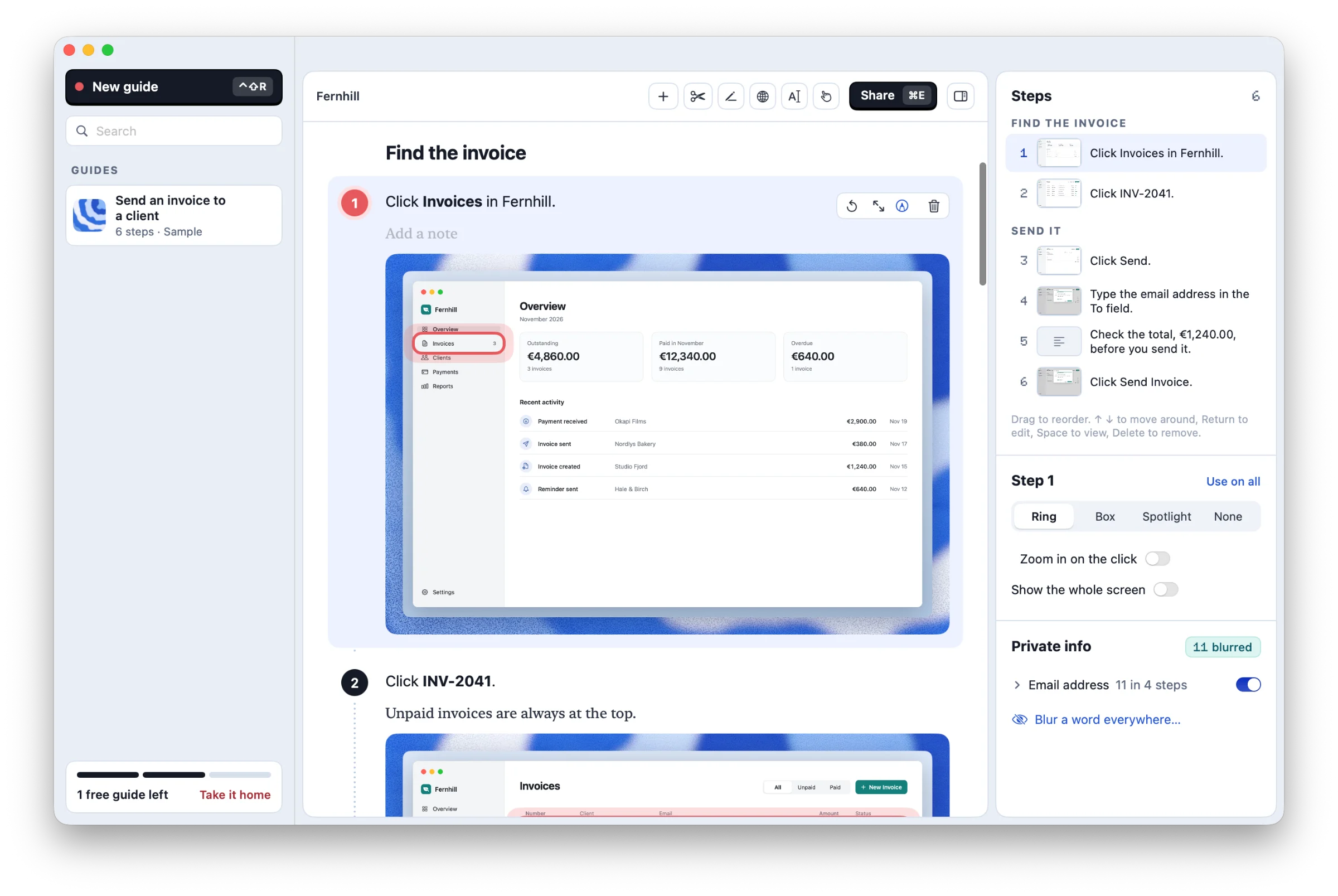
- Steps that name themselves. “Click Send”, read from the button itself, not guessed.
- Private info blurred. Emails, phone numbers, card numbers, bank accounts and API keys, in every screenshot. Password fields are never read.
- Exports for everyone. PDF, Word, PowerPoint, Markdown, a web page, a click-through walkthrough, a GIF or a video.
- Files you own. Guides are kept on your Mac. No account, no workspace to manage.
When Tango is the better choice
- You want Guide Me. Tango can walk people through a task inside the real web app. Stepfinch exports a walkthrough as its own page instead.
- Your team is on Windows, or on Chromebooks.
- You want one cloud library with view tracking and version history for a big team.
Other Tango alternatives
- Scribe: the closest match, also cloud and per seat. Cheaper than Tango for teams of five or more. See Scribe vs Tango.
- Folge: a desktop app you pay for once, $89 for one platform and one computer. AI writing needs your own API key. See Folge vs Stepfinch.
- Snagit: a screenshot tool with Step Capture, $39 a year.
- Stepfinch: Mac only, $39 once, with writing and blur done on your Mac.
Questions
Is there a free version of Tango?
Yes. Tango’s free plan gives you 5 shared workflows and up to 10 users, with capture in the browser only. Stepfinch’s first 3 guides are free, with desktop recording, auto-blur and every export.
How much is Tango per month?
Tango Pro is $22 per person a month billed yearly, or $30 month to month, for one or two people. For three or more it’s $15 or $20 per person. Enterprise is custom.
Can Stepfinch make interactive walkthroughs like Tango?
Stepfinch exports a click-through walkthrough: a single web page where the viewer clicks the ring to go to the next step. It doesn’t run inside another web app the way Tango’s Guide Me does.
Does Tango record desktop apps?
On Pro and Enterprise. The free plan records in the browser only.
Can my team share one Stepfinch license?
Team is one license for 5 people, each on their own Mac, for $149 once. Personal covers one person on up to 3 Macs.