
How to write a bug report developers can act on
A good bug report lets someone else see the bug on their own screen in a few minutes. Here’s the format, a template to copy, an example, and the fastest way to get the steps right.
By Telman Gadimov, who makes Stepfinch · Updated November 22, 2026 · 3 min read
What makes a bug report useful
Developers can fix a bug quickly once they can see it. Most of the back-and-forth on a bug (“what did you click?”, “which version?”, “can you send a screenshot?”) is the report missing one of the parts below.
The bug report format
- Title. What’s wrong and where: “Send Invoice does nothing when the To field has two addresses.” Not “Invoices broken”.
- Steps to reproduce. Numbered, one action each, from a starting point anyone can reach.
- Expected result. What should have happened.
- Actual result. What happened instead, with the exact error text if there was one.
- Environment. App version, operating system and version, browser if it’s a web app, and the account type if it matters.
- How often. Every time, sometimes (“3 times out of 5”), or once.
- Attachments. A screenshot per step, a short video or GIF, and logs if you have them.
- Severity. Who it blocks and how badly. Leave priority to whoever triages.
How to write steps to reproduce
- Start from a known state. “Signed in as an admin, on the Invoices page.” Not “in the app”.
- One action per step, using the exact names on screen: “Click Send.”
- Include what you typed, but only test data. Never paste a real customer’s details into a ticket.
- Stop at the bug. The last step is the one where it goes wrong.
- Try them once more before you file. If the bug doesn’t come back, add what was different.
A bug report template
Title:        [What's wrong] when [doing what], in [where]

Steps to reproduce
  1. [Starting point, e.g. "Sign in as an admin and open Invoices"]
  2. [Action, using the exact on-screen words]
  3. ...

Expected:     [What should happen]
Actual:       [What happens instead, with any error text]

Environment:  [App version] · [OS and version] · [Browser]
How often:    [Every time / 3 of 5 tries / once]
Severity:     [Blocks everyone / blocks some / annoying / cosmetic]
Attachments:  [Screenshots of each step, a GIF or video, logs]
A bug report example
Send Invoice does nothing when the To field has two addresses
Steps to reproduce
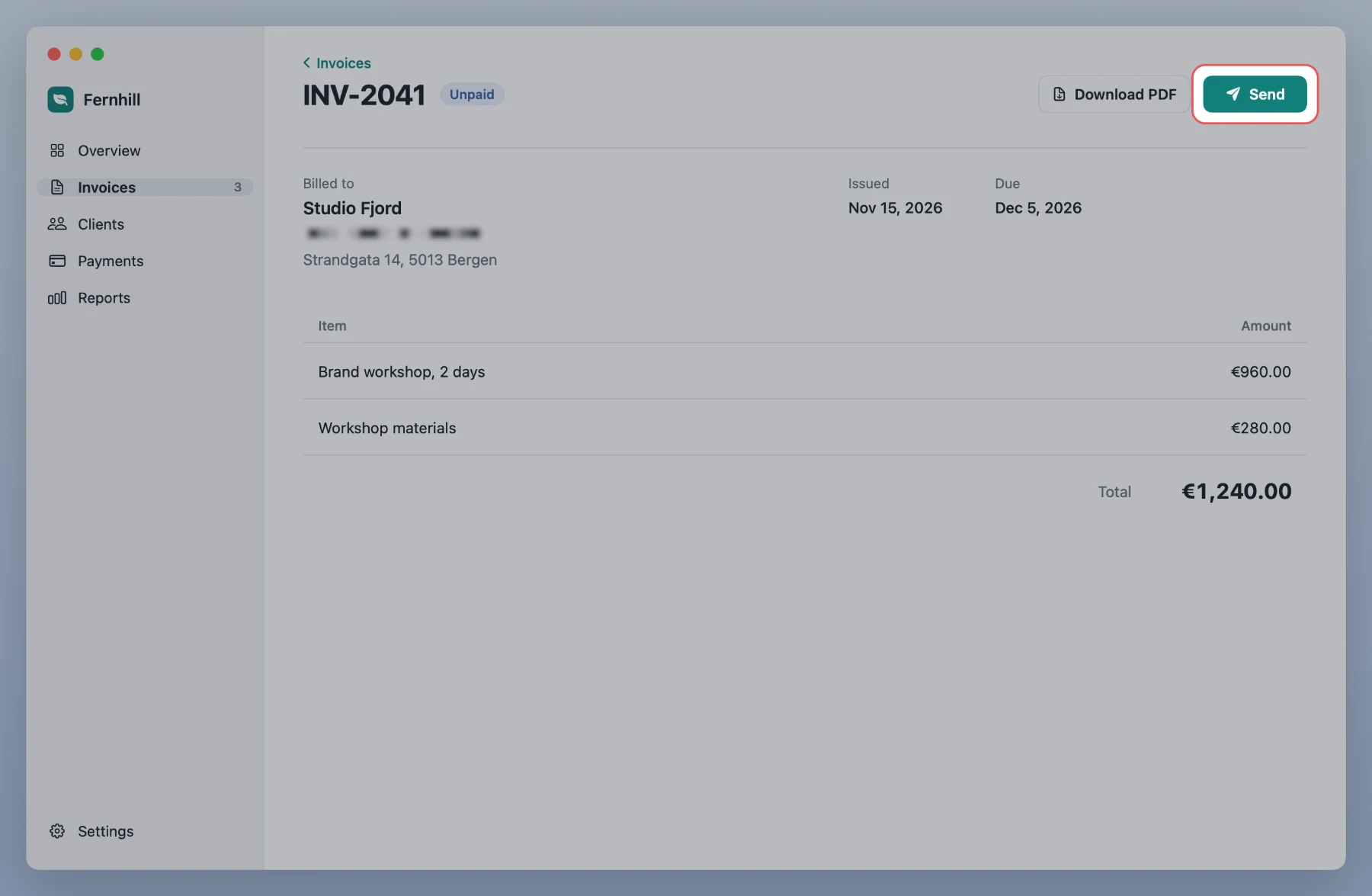
- Click Invoices in Fernhill.
- Click INV-2041.
- Click Send.
- Type two email addresses, separated by a comma, in the To field.
- Click Send Invoice.
Expected
The invoice is sent to both addresses and the window closes.
Actual
Nothing happens. The window stays open with no error.
Environment
Fernhill 3.2 · macOS 15.4 · Every time
Fernhill is a made-up invoicing app. The steps match the sample guide that comes with Stepfinch.
Record the steps instead of writing them
The steps and screenshots are the slow part, and the part most often wrong. Stepfinch records them while you reproduce the bug on your Mac:
- Every click becomes a numbered step with a screenshot of the window and a ring on what you clicked.
- The step text uses the exact on-screen names, read from the app itself.
- Customer emails, phone numbers, card numbers and API keys are blurred in every screenshot, which matters when the bug only shows up with real data.
- Export Markdown with images for GitHub or GitLab, copy it as rich text for Jira or Linear, or send a PDF to a vendor’s support team. A GIF or MP4 shows the bug moving.
Filing it in Jira or GitHub
- Jira: create an issue of type Bug. Put the title in Summary, and the steps, expected and actual results in Description. Attach the screenshots or the PDF.
- GitHub: open a new issue, paste the steps as Markdown, and drag the screenshots into the comment box.
Questions
What is a bug report?
A written description of something in software that doesn’t work as it should: what you did, what you expected, what happened instead, and where. Its job is to let someone else see the same bug.
What should a bug report include?
A specific title, numbered steps to reproduce, the expected result, the actual result, the environment (app version, operating system, browser) and screenshots or a short video.
What does “steps to reproduce” mean?
The exact actions, in order, that make the bug happen, starting from a state anyone can get to. If a developer follows them and sees the bug, the steps are good.
How do I report a bug in a Mac app made by Apple?
Use the Feedback Assistant app that comes with macOS. Attach your steps and screenshots the same way.
Should I report a bug I can’t reproduce?
Yes, but say so. Write what you were doing, when it happened, and how often (“twice this week”). Logs and a screenshot of the error help most here.